Best CS2 Settings for FPS, Visibility and Competitive Play
A practical CS2 performance checklist that balances smooth frame delivery, visibility and reliable input response.
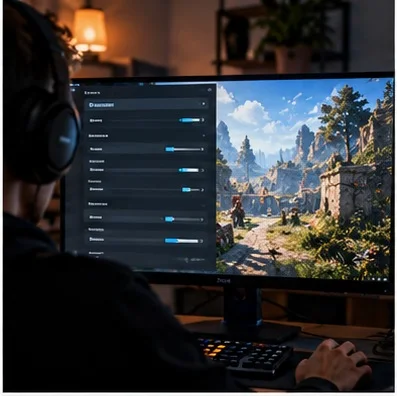
Best CS2 Settings for FPS, Visibility and Competitive Play
Quick answer: A practical CS2 performance checklist that balances smooth frame delivery, visibility and reliable input response. This guide focuses on practical decisions readers can verify themselves, rather than promising shortcuts or repeating unconfirmed social-media claims.
Search results are crowded with brief answers and recycled advice. The useful question is what you should actually do next, what trade-offs matter and how to check whether the advice still applies. Below is a structured approach for players who want a dependable answer, not just a collection of keywords.
Prioritize stable frame times
Average FPS alone does not describe how responsive a match feels. A computer producing very high peaks but severe dips during smoke or crowded fights may feel less consistent than one delivering steadier frames. Compare the same map and scenario before and after each change. Record one-percent lows when possible rather than relying on a single headline number.
Set display mode and refresh rate
Confirm that your operating system and game use the monitor’s intended refresh rate. Test fullscreen and borderless modes on your own hardware, because behaviour can differ by driver and system configuration. Avoid assuming that changing resolution automatically improves reaction time. The important outcome is a stable image with no unwanted scaling or stutter.
Tune graphics one setting at a time
Begin with a baseline and adjust expensive effects systematically. Test shadow quality, anti-aliasing and other graphics options in the same demanding location. Lower settings may improve performance but can also reduce visual clarity. Keep settings that provide useful scene readability unless measurements show a meaningful performance penalty.
Understand latency without myths
Input delay can come from the mouse, display, rendering queue, system load and network. No single launch option removes all of it. Update drivers cautiously, avoid unnecessary background overlays and test changes using the same conditions. Be skeptical of online claims that undocumented commands guarantee dramatic latency reductions.
Make opponents easier to see
Visibility is a combination of display brightness, contrast, map lighting, resolution and player movement. Extreme saturation can make colours vivid without making enemies easier to identify. Test visibility in shaded corners, bright outdoor areas and smoke-heavy rounds. A setting that looks impressive in a screenshot may be less useful in a real match.
Control network variables
Use a stable connection and observe packet loss or jitter rather than equating every missed shot with server problems. Ethernet can reduce local wireless variability, although it cannot repair a distant server. Close large downloads during competitive play. Separate genuine connection instability from inconsistent frame times when diagnosing a poor session.
Create a before-and-after benchmark
Write down hardware, driver version, resolution and key graphics settings. Run the same short test several times, then change one variable. Compare average FPS, low-frame performance and subjective visibility. If the result is marginal, prefer the setup that is easier to maintain. This process avoids chasing settings based on other people’s systems.
Keep your configuration maintainable
Save screenshots or an export of your working settings. After major patches, retest rather than automatically resetting everything. Check monitor settings, Windows power behaviour and background applications before applying obscure tweaks. Competitive consistency comes from a predictable setup, not from endlessly editing configuration files.
Practical checklist before you finish
Use this three-part test: first, confirm the relevant information in the official game client or publisher documentation. Second, compare the advice with your own goals, hardware, budget or skill level. Third, record what actually changed after you applied it. A clear before-and-after comparison is more valuable than a dramatic claim without evidence.
If you are sharing the guide with friends, include the date you checked the information. Live-service games and digital storefronts change frequently, and an accurate answer today can become incomplete after an update. Whenever a menu, policy or schedule looks different, prioritize the current official interface over screenshots from an older guide.
Frequently asked questions
Is this advice suitable for beginners?
Yes. Begin with the fundamental steps, avoid optional complexity and make one change at a time. Beginners benefit most from predictable routines and clear definitions rather than advanced shortcuts.
Should I trust viral tips or settings?
Treat them as hypotheses to test. Popularity is not proof of accuracy, and an approach that works for one person may depend on their equipment, account, region or preferred playstyle.
How often should I check for updates?
Recheck whenever a relevant game patch, tournament announcement, platform-policy update or significant client change occurs. Avoid claiming that an old screenshot confirms a current feature.