Roblox Creator Hub Monetization: DevEx Rates, Game Pass Fees & Payout Rules
Want to turn your Roblox Studio creations into real income? Here is the complete breakdown of Developer Exchange (DevEx) conversion rates, the 30% platform marketplace fee, recurring subscriptions, and how to verify your developer account.
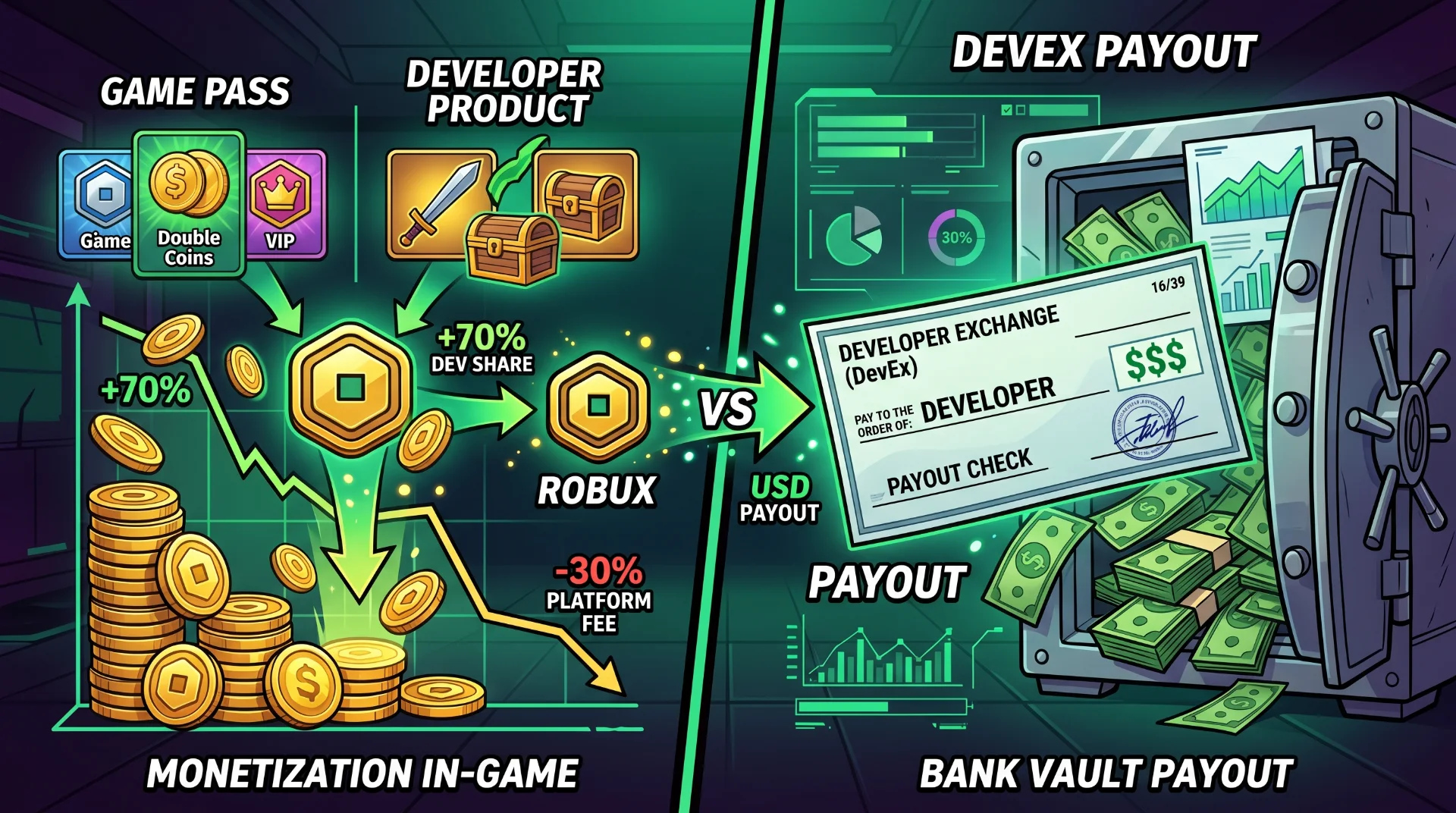
Cashing Out: The Complete Roblox Creator Hub Monetization Playbook
Building a viral experience on Roblox is exhilarating, but transforming concurrent player counts into predictable revenue requires navigating the platform's proprietary developer economy. Many indie creators assume that earning Robux immediately guarantees cash in the bank, only to encounter account flags, non-transferable balances, or unexpected marketplace transaction cuts.
Roblox's economic backend operates through the Roblox Creator Hub, utilizing distinct revenue streams like Developer Products, Game Passes, in-game subscriptions, and the official Developer Exchange (DevEx) program.
Below is the verified operational breakdown of current DevEx payout tiers, how to minimize marketplace friction, and the non-negotiable tax guidelines required before requesting your first withdrawal.
The Core Conversion Engine: DevEx Payout Thresholds
The Developer Exchange program converts earned virtual currency into fiat currency (USD, EUR, GBP). Not all Robux qualify for cash-out; tokens obtained through third-party trades or group funds lacking verified game-transaction origins are permanently barred.
| Developer Tier | Minimum Earned Robux | Payout Valuation | Eligibility Requirements |
|---|---|---|---|
| Standard Baseline | 30,000 Robux | ~$114.00 USD ($0.0038 / R$) | Age 13+, verified ID, valid tax form (W-8/W-9). |
| U.S. 18+ Spend-Eligible | 30,000 Robux | ~$162.00 USD ($0.0054 / R$) | Age-verified account with verified 18+ player base spend. |
| Monthly Cap | Tiered by Level | Scaled up to $1M+ USD | Active enterprise developer agreement. |
The Golden Rule of "Earned" Robux: Only Robux generated directly from legitimate in-game sales, Creator Store plugin licenses, or engagement payouts are eligible for DevEx. Robux acquired through trading limited items or purchasing bundles cannot be cashed out.
Game Passes vs. Developer Products: What to Sell and When
The Creator Hub divides in-game purchases into two fundamental data models:
Monetization Architecture Breakdown:
[======================= ] Game Passes (One-Time / VIP Perks / Persistent Tools)
[========================================= ] Developer Products (Repeatable / Currency / Consumables)
1. Game Passes (Persistent Purchases)
- How They Work: Players buy them once, and ownership is tied permanently to their inventory.
- The Platform Cut: Roblox charges a 30% Marketplace Fee. If you price a VIP Pass at 1,000 Robux, you receive 700 Earned Robux.
- Best Used For: Permanent sprint speed boosts, exclusive VIP lounge access, permanent inventory expansions, and cosmetic badge unlocks.
2. Developer Products (Repeatable microtransactions)
- How They Work: Can be purchased infinitely within the same game session.
- Best Used For: In-game gold packs, gacha roll tokens, revives, and temporary double-XP boosts.
- Conversion Advantage: Top-grossing titles generate over 75% of total revenue from Developer Products, as high-engagement players continually cycle currency into progression mechanics.
In-Game Subscriptions: Setting Up Recurring Revenue
One of the most powerful features inside the Creator Hub is native recurring subscriptions. Instead of chasing one-off purchases every weekend, you can offer automated monthly memberships:
- Local Fiat Pricing: Subscriptions auto-renew in the player's local currency, bypassing raw Robux balances on their platform accounts.
- Predictable Retention: Creators receive predictable recurring income, shielding game studios from seasonal play-time dips during school exams.
- Common Offerings: Monthly exclusive cosmetic crates, dedicated battle pass tiers, and passive daily coin drops.
How to Cash Out via DevEx: Step-by-Step
Before submitting a withdrawal request through the Creator Hub, ensure your backend profile meets every verification gate:
- Verify Your Real Identity: You must complete official government ID verification (passport or national ID card) via the account settings panel.
- Link a Portal Account: Create an authenticated account with Roblox's payout processor (Tipalti) to configure direct wire transfer or PayPal details.
- Submit Tax Information: International developers outside the United States must submit a digital Form W-8BEN to declare tax residency and prevent withholding penalties.
- Submit the Request: Navigate to Creator Hub > Monetization > DevEx > Cash Out. Reviews typically take 3 to 5 business days for first-time submissions.
For complete developer API references, review the official Roblox Creator Documentation.
3 Fatal Errors That Cause DevEx Rejections
- Mixing Trading Funds with Game Funds: If you run an account that actively trades limited hats in the Avatar Marketplace alongside game development, your withdrawal application may fail internal compliance audits. Maintain completely separate accounts for personal trading and studio game revenue.
- Misleading Loot Mechanics: Implementing chance-based crates without explicitly displaying pull percentages violates Roblox platform policies and will freeze pending DevEx payouts.
- Premature Cash-Out Applications: Submitting a request with exactly 30,000 Robux while running active pending refunds can drop your balance below the threshold mid-review, causing automatic transaction rejection.